 Leyline
Find what’s a few pixels off your grid.
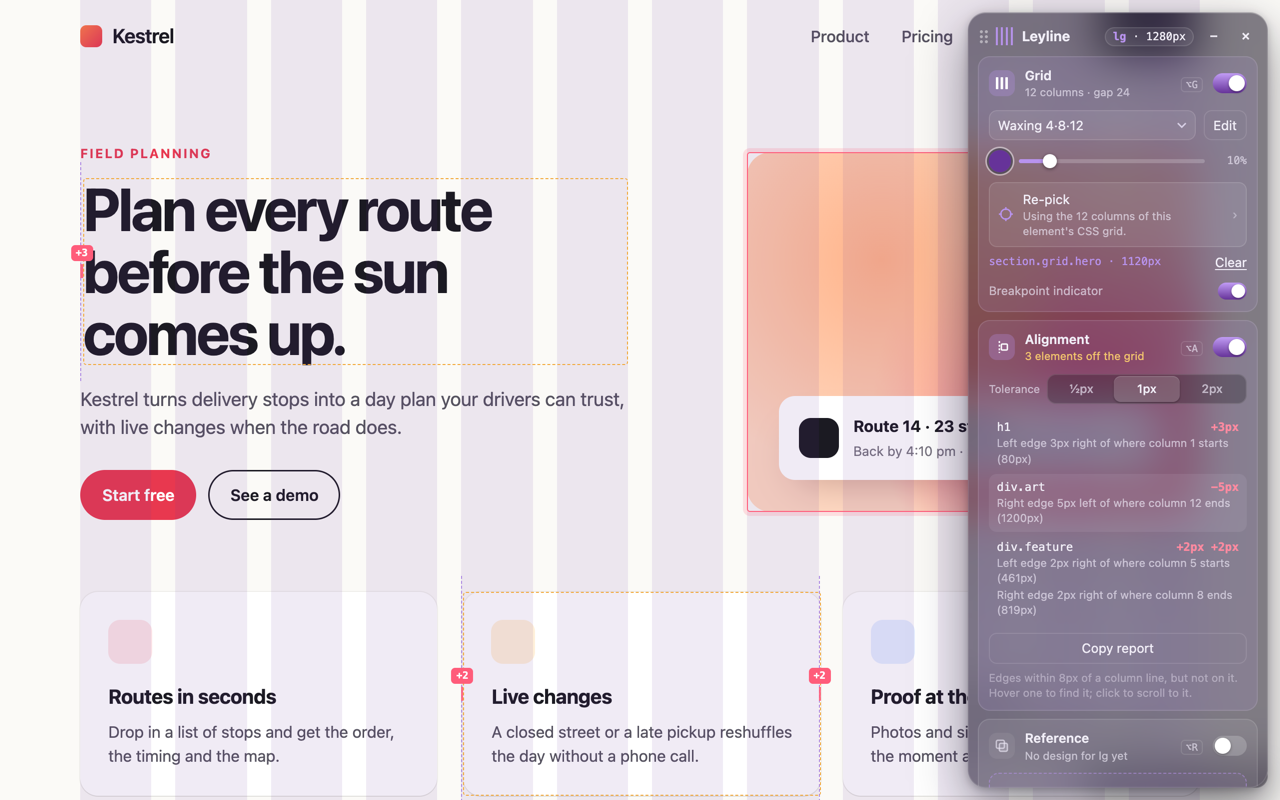
Leyline reads the grid your page is really built on and lists every element that sits just off it. This headline is one of them. So is this paragraph.
On any page you open
The same check, inside the extension. Hover a row to find the element; click it to scroll there. It runs again at every width, so each breakpoint gets checked.
The grid comes from the page
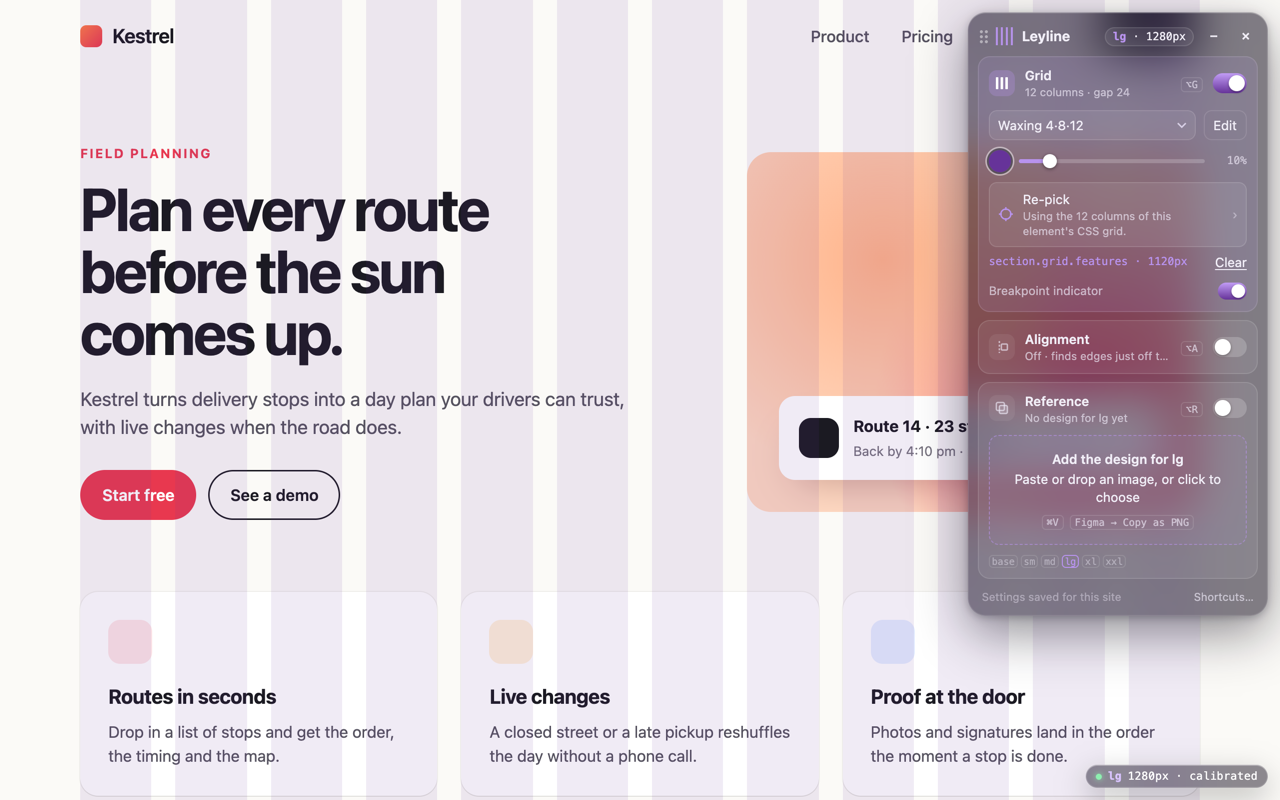
Click your layout’s container. Leyline reads its CSS grid, and the stripes land on its real columns. Nothing to install in the project.
Your design on top
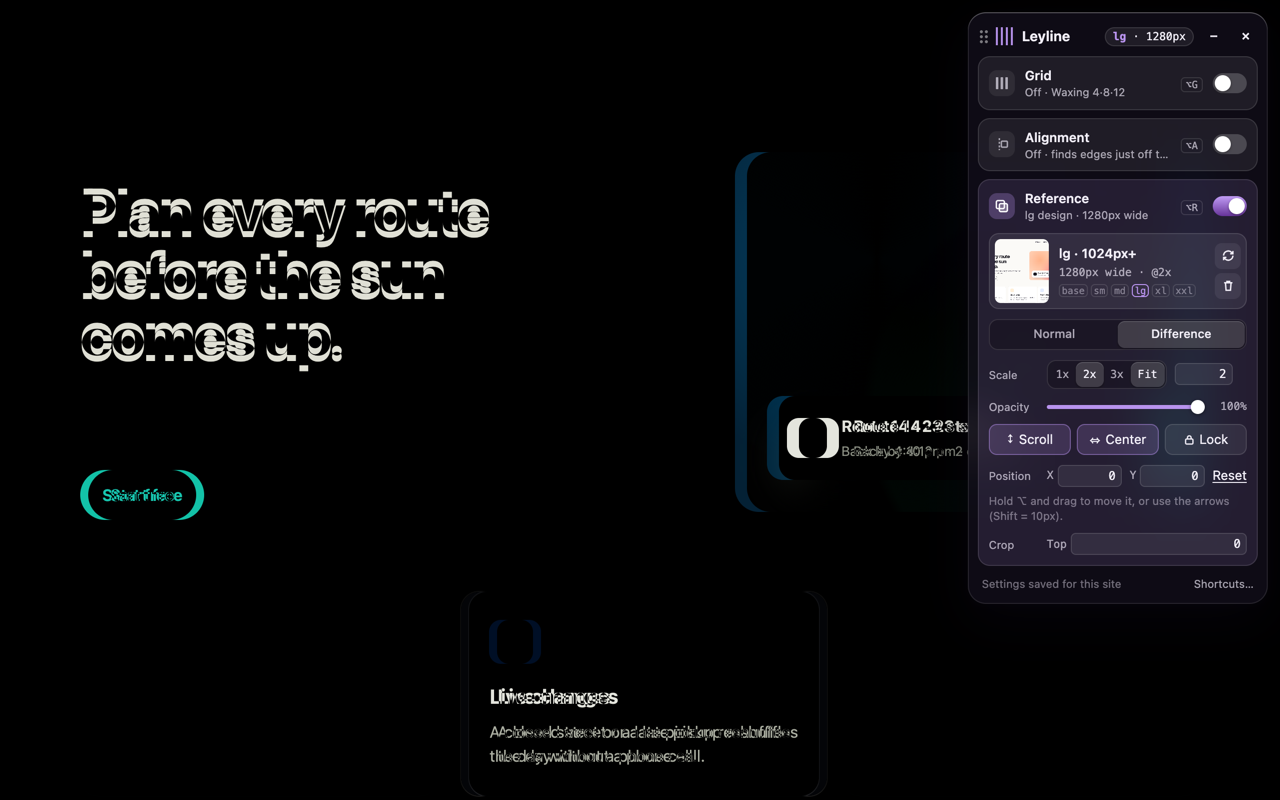
Paste a frame from Figma, one per breakpoint. In Difference mode whatever matches goes black, and only what moved lights up.
How it works
- Open it on the pageClick the Leyline icon or press Alt+G. Localhost, staging or production.
- Pick the containerClick your layout’s container. The grid snaps to its real columns.
- Check the alignmentPress Alt+A. Every element a few pixels off is outlined and listed.
A report your AI can act on
Copy report gives you the list as JSON, with a selector for each element and how far it is from the line. Paste it into an issue, or hand it to your coding assistant and let it fix the CSS.
{
  "breakpoint": "xl",
  "grid": { "columns": 12, "gap": 24 },
  "issues": [
    {
      "element": "h1",
      "selector": "section.hero h1",
      "edge": "left",
      "offset": 3,
      "column": 1
    },
    {
      "element": "div.art",
      "edge": "right",
      "offset": -5,
      "column": 12
    }
  ]
}
Nothing leaves your browser
No account, no analytics, no network requests. Leyline only runs on the tab where you open it, and keeps its settings and your designs on your device. Privacy policy